BlueLine: Blueprint Cleaning, Smart Tagging & Node Alignment for UE5
A downloadable tool
Update video 1
Update video 2
Fully functional core OS versions (v0.1+) available at: https://github.com/gregorik/BlueLine
FAB version (v0.5+) includes additional features, updates, potentially easier workflow and dedicated support.
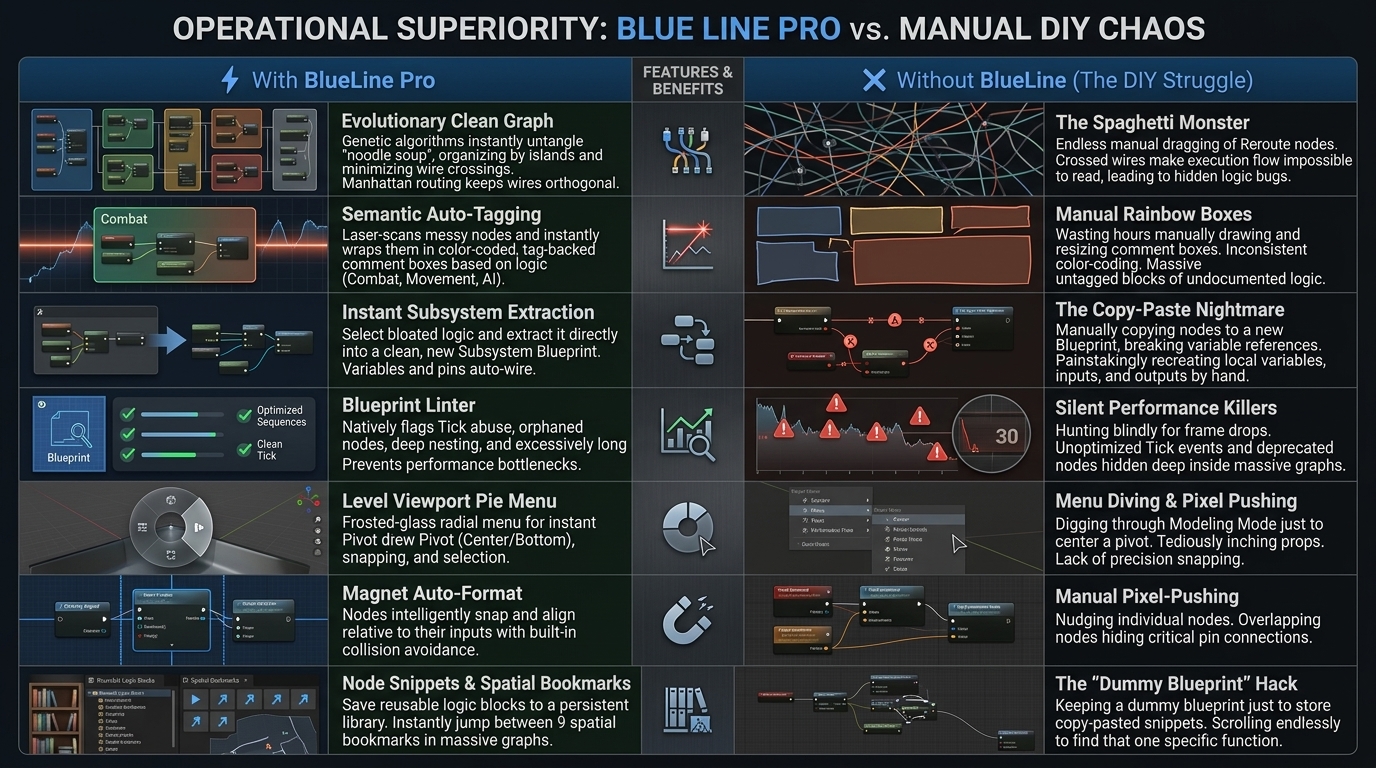
BlueLine is a lightweight, modular C++ plugin for Unreal Engine 5 designed to solve three specific problems in professional development workflows:
- Graph Readability (WIP!): Replaces messy Bezier "noodles" with clean, 90-degree orthogonal wiring without the performance cost of A* pathfinding.
- Team Collaboration: Provides "Soft Formatting" tools that align nodes without reorganizing the entire graph, preventing massive Git/Perforce diffs.
- Data Visualization: Transforms standard Gameplay Tags in the Details Panel into colored, readable chips, synchronized across the entire team via Data Assets.
🔌 Graph Enhancements
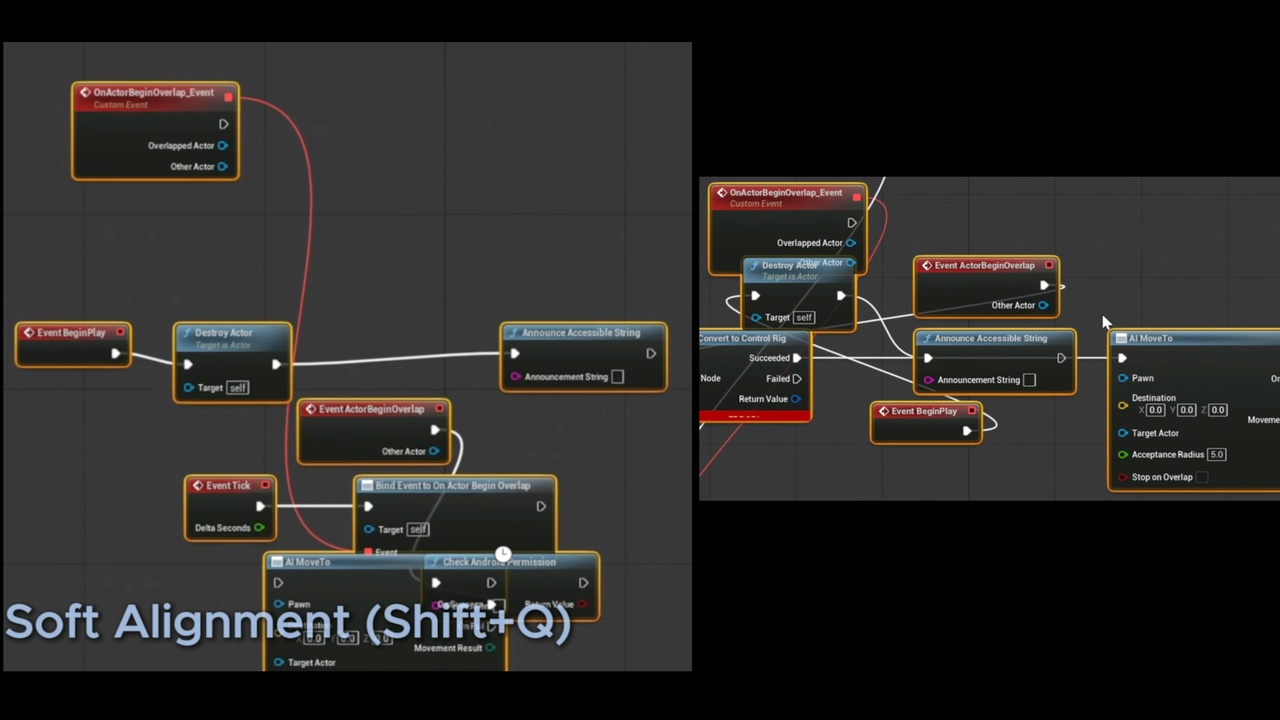
1. "Soft Magnet" Formatting (Shift + Q)
Unlike other auto-formatters that rearrange your entire graph (destroying your specific layout), BlueLine uses a Selection-Only approach.
- Usage: Select a group of nodes and press Shift + Q.
- Behavior: Nodes align grid-relative to their input connections.
- The "Anti-Diff" Philosophy: BlueLine never touches nodes you haven't selected. This ensures your Commit History remains clean and readable.
2. Hotkeys
Shift + Q Magnet Align Aligns selected nodes to the grid relative to their inputs. F8 Toggle Style Instantly switches between BlueLine wires and Standard Bezier curves.
🏷️ Smart Tags & Visualization
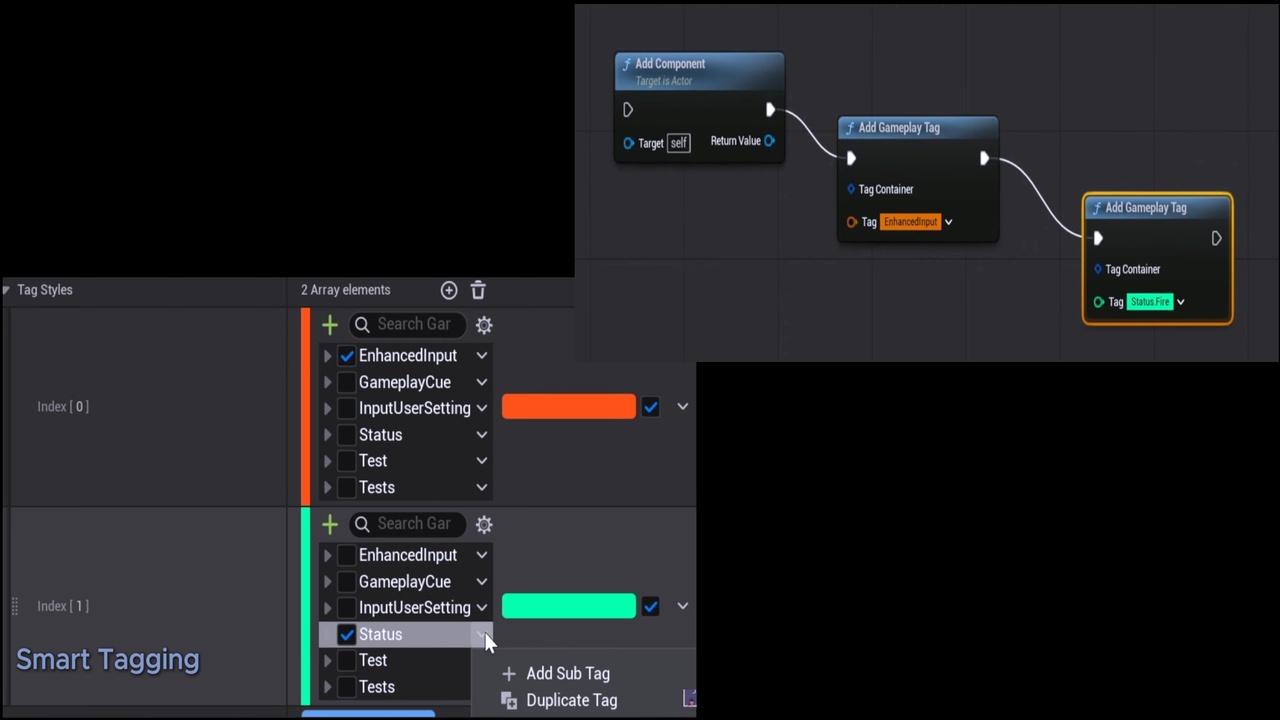
BlueLine overrides the Details Panel customization for FGameplayTag, replacing the text string with a colored "Chip" widget.
1. Setup (Team Color Sync)
Colors are not stored in local user preferences. they are stored in a Data Asset so the whole team sees the same colors.
- Create a DataAsset derived from BlueLineThemeData.
- Name it DA_BlueLineDefault and place it in /Game/BlueLine/ (Content/BlueLine/).
- Note: This path ensures the plugin finds it automatically without configuration.
- Add Tag Styles:
- Tag: Status.Debuff
- Color: Red
- Apply To Children: True
- (Result: Status.Debuff.Fire and Status.Debuff.Ice will automatically inherit Red).
2. Runtime Debugging (C++)
Debug colors shouldn't disappear when you hit PIE (Play In Editor). Use the static library to draw colored tags on the HUD or in World space.
3. Blueprint Support
The library is exposed to Blueprint as "Draw BlueLine Debug Tag".
Download
Click download now to get access to the following files:
Leave a comment
Log in with itch.io to leave a comment.