GregOrigin Cleaner Suite
A downloadable tool for Windows
GregOrigin Cleaner Suite is a minimalist, portable system utility designed for Windows 11. Unlike traditional "black box" cleaners that use proprietary engines to aggressively scrub the system, GregOrigin Suite acts as a transparent wrapper around native Windows APIs (PowerShell, .NET, and Winget).
Key Philosophy
- Safety First: We do not touch the Windows Registry for "cleaning".
- Native: Relies on standard Windows commands, ensuring high stability.
- No Adware: No upsells, no banners, no background services.
System Requirements
- OS: Windows 11 (Recommended) or Windows 10 (21H2+).
- Permissions: Local Administrator rights (Required to uninstall programs and clean system temp folders).
- Dependencies: None (Uses the pre-installed .NET Framework and PowerShell)
Read manual at https://gregorigin.gitbook.io/cleaner-suite/
Features
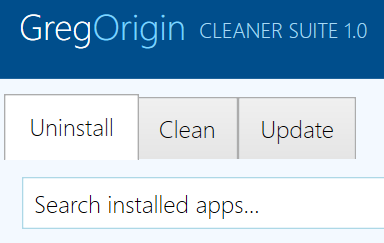
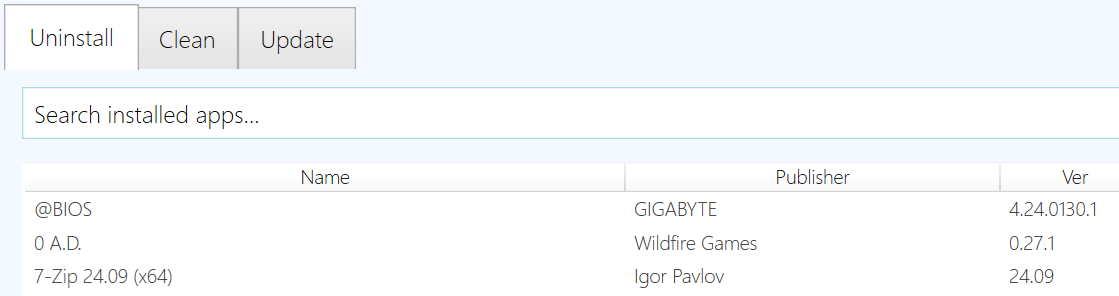
Tab 1: Bulk Uninstaller
This tool allows you to remove multiple applications in rapid succession without manually clicking through every wizard.
- Scanning: The app queries the Registry (HKLM and HKCU) to find installed software. It loads faster than generic uninstallers because it skips deep file-system heuristics.
- Bulk Removal:
- Hold CTRL or SHIFT to select multiple applications from the list.
- Click Uninstall Selected.
- Silent Mode:
- If the app is an MSI (Windows Installer), GregOrigin automatically applies the /qb flag (Quiet Basic) to remove it with a progress bar but no user interaction.
- If the app is an EXE, the standard uninstaller will launch.
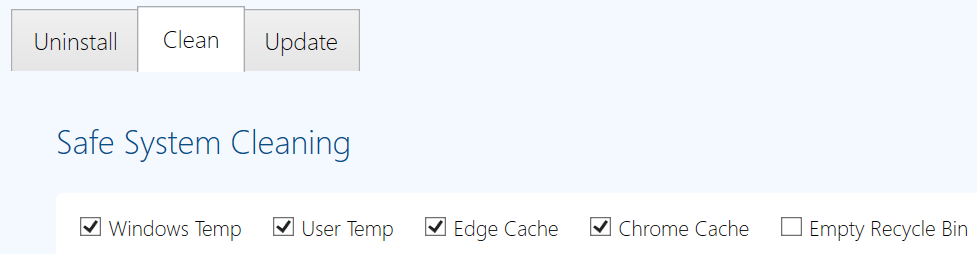
Tab 2: Safe System Cleaner
This module reclaims disk space by removing temporary cache files. Unlike "Aggressive" cleaners, it does not delete browser history, saved passwords, or cookies.
Targets:
- Windows Temp: C:\Windows\Temp (System logs, update debris).
- User Temp: %TEMP% (Application temporary files).
- Edge/Chrome Cache: Removes cached images and scripts (Cache_Data).
- Recycle Bin: Empties the bin.
How to use:
- Click Analyze to calculate potential space savings.
- Review the log window.
- Click Clean Now to execute deletion.
- Note: Locked files (files currently in use by Windows) are automatically skipped to prevent system crashes.
Tab 3: Software Updater
This module leverages Microsoft's Winget (Windows Package Manager) to detect outdated software.
- Check Updates: Queries the official Microsoft repositories for newer versions of your installed apps.
- Update All:
- Clicking this will launch a Console Window.
- This is intentional. We display the console so you can see exactly what Winget is downloading and installing.
- The process handles the downloading and installation automatically.
Download
Click download now to get access to the following files:

Leave a comment
Log in with itch.io to leave a comment.